BuildACart
Setup guide

Build a Cart Best Setup

Find the best Build a Cart setup for your goal with an engine-versus-fuel decision table, cart train checklist, and three-run test plan.

Engine vs fuelThree-run testNo invented ratios
Quick answer

The best setup fixes the limit you can reproduce

Build one cart that runs, repeat the same route, and change only the part connected to the ending symptom.

Choose engine when the cart is stable but slow, fuel when it repeatedly coasts or stops after travelling, and cart order or a rollback when extra speed makes the run unstable. This produces a setup that is best for your current goal instead of copying a ratio that may belong to another update.

Decision table

Match the symptom before changing the build

Run the baseline twice if the result is inconsistent. A single crash is weak evidence; a repeated ending is useful evidence.

Observed resultFirst hypothesisControlled next test
Never launchesMissing or incorrectly placed required partConfirm a cart, engine, fuel, and the current on-screen launch control before buying anything.
Moves, then cleanly slows to a stopRange or fuel is the first testKeep engine and cart order fixed; change one fuel unit or fuel tier.
Slow from the start but remains stablePower or speed is the first testKeep fuel fixed; change one engine unit or engine tier.
Fast but crashes, tips, or becomes inconsistentStability or cart orderRestore the last stable baseline, then move one part or remove the last speed change.
Reaches a version-specific obstacleObstacle interactionVerify the current obstacle and turret behavior in your server before rebuilding around an old video.
Active run works but offline result is zeroOffline baselineRecord cash, confirm an active run works, leave for a known period, and compare once before changing parts.
Run 1

Save a baseline

Write down engine count, fuel count, number of carts, part order, and the exact ending. Do not describe the result only as “bad”; use a symptom such as slow, stopped, unstable, or obstacle.

Run 2

Change one variable

Keep the route and every other part fixed. This is the only way to tell whether an engine, fuel unit, or position actually improved the cart.

Run 3

Repeat or revert

Repeat the winning change once. Keep it if the same goal improves twice; otherwise return to the baseline and test a different cause.

YouTube observation

What the walkthrough adds—and what it does not

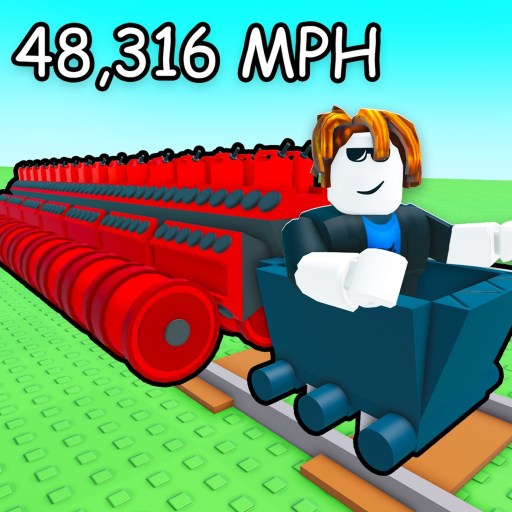
A publicly indexed walkthrough recap shows a basic cart starting slowly, an engine and fuel being mounted, the run ending when fuel is exhausted, and additional carts creating more places for parts. It also observes that additional engines can improve speed while making control harder. Those moments support the test method above, but they do not prove current prices, named tiers, exact fuel duration, or the best ratio for every player.

That distinction matters for searches such as “Build a Cart fastest cart” or “best engine.” A visually impressive build is a useful experiment to reproduce, not a permanent ranking.

FAQ

Build a Cart setup questions

What is the best setup in Build a Cart?

There is no verified universal setup. The useful setup is the smallest stable cart that fixes the limit you can reproduce: engine for a consistently slow run, fuel for a clean stop, and cart order or fewer simultaneous changes for instability.

Should I add an engine or fuel first?

If the cart slows and stops after a repeatable distance, test one fuel change. If it stays stable but is slow from the start, test one engine change. Do not change both in the same comparison run.

Do more engines always make the fastest cart?

A video walkthrough shows that adding engines can increase speed while making the cart harder to control. That observation is not a universal stat formula, so compare speed and stability together.

What is the best engine in Build a Cart?

A current official engine stat table was not available in the August 8 check. Compare the engines visible in your server using the same route and the same fuel count.

Open the cart setup plannerCompare part rolesDiagnose a stopped cartTest offline money